
- Reconnaissance
- What Did Not Work: Parallel Operation
- What Did Work: Replacing the Console
- Heart Rate
- Home Assistant
- A Coach on Matrix
- RideQuest
- Outlook
In our attic stands a very old Kettler Golf M ergometer. It is a wonderfully indestructible machine: A permanent-magnet brake, a dial for the resistance, and a battery-powered console (an FB601) showing pulse, cadence and some “derived” numbers for speed and distance. What it does not have is any data interface. No serial port, no Bluetooth, nothing — the only connector is an analog plug for an ear-clip pulse receiver. Since I measure everything else in this house, that clearly could not stand. This is the story of wiring it up to an ESP32, a story that grew far beyond its original scope: Past a failed first approach, into Home Assistant, onto a chest strap, through an AI training coach posting to Matrix, and finally into a full role-playing game.
Reconnaissance
Lifting the console off revealed a surprisingly tidy interface: three connectors, all helpfully labeled on the console PCB (visible after disassembly of the FB601). A two-pin connector (“SPEED”) carries a reed switch that closes once per crank revolution. A three-pin connector (“VR”, for variable resistor) carries the resistance sensor — the dial does not have ten detents as the console display suggests, but turns a continuous potentiometer, which I measured at roughly 440 to 1120 Ω across its range. The console quantizes this into the displayed “Level 1–10”. The third connector serves the hand pulse plates in the handlebars, which I never intended to use.
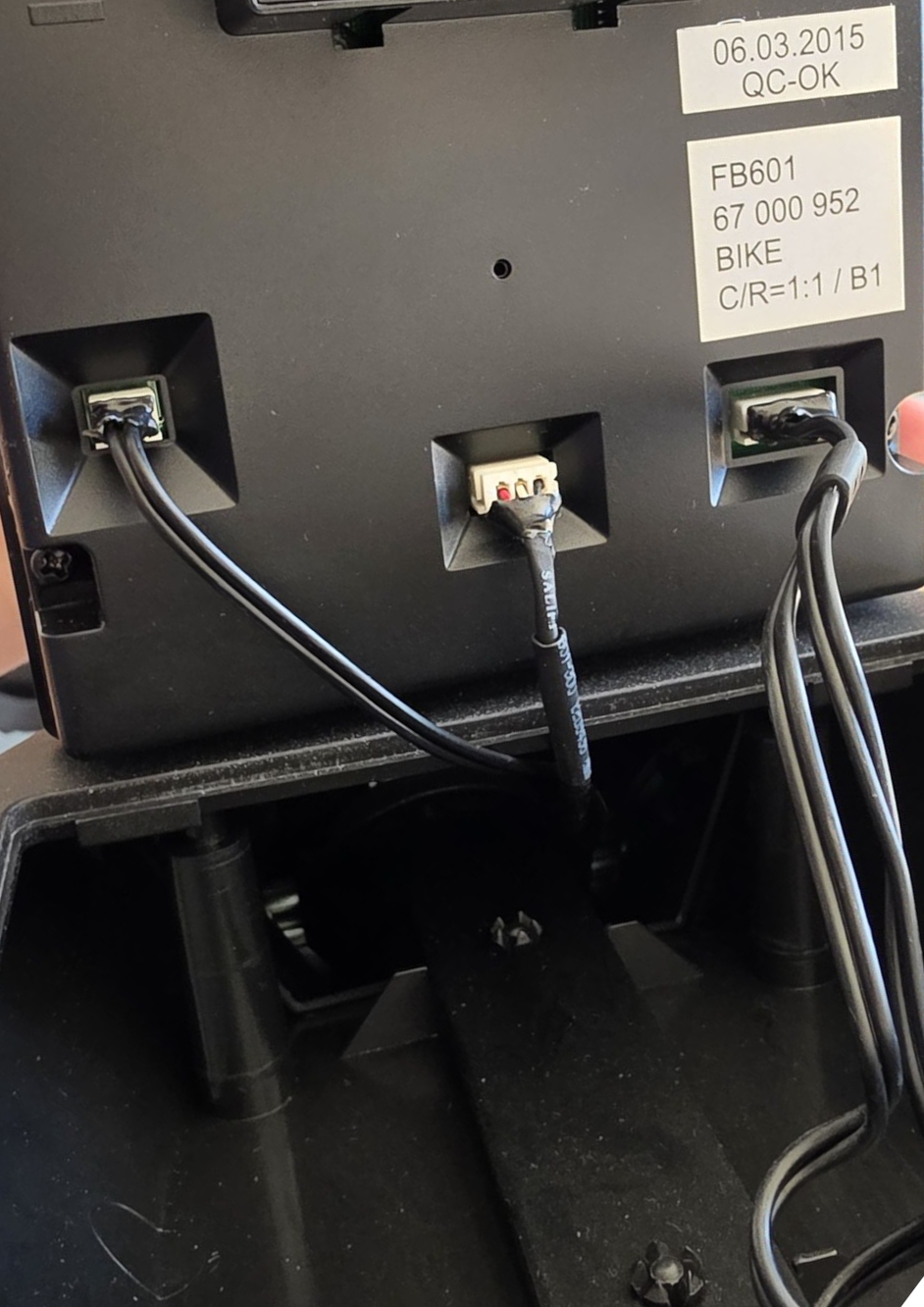
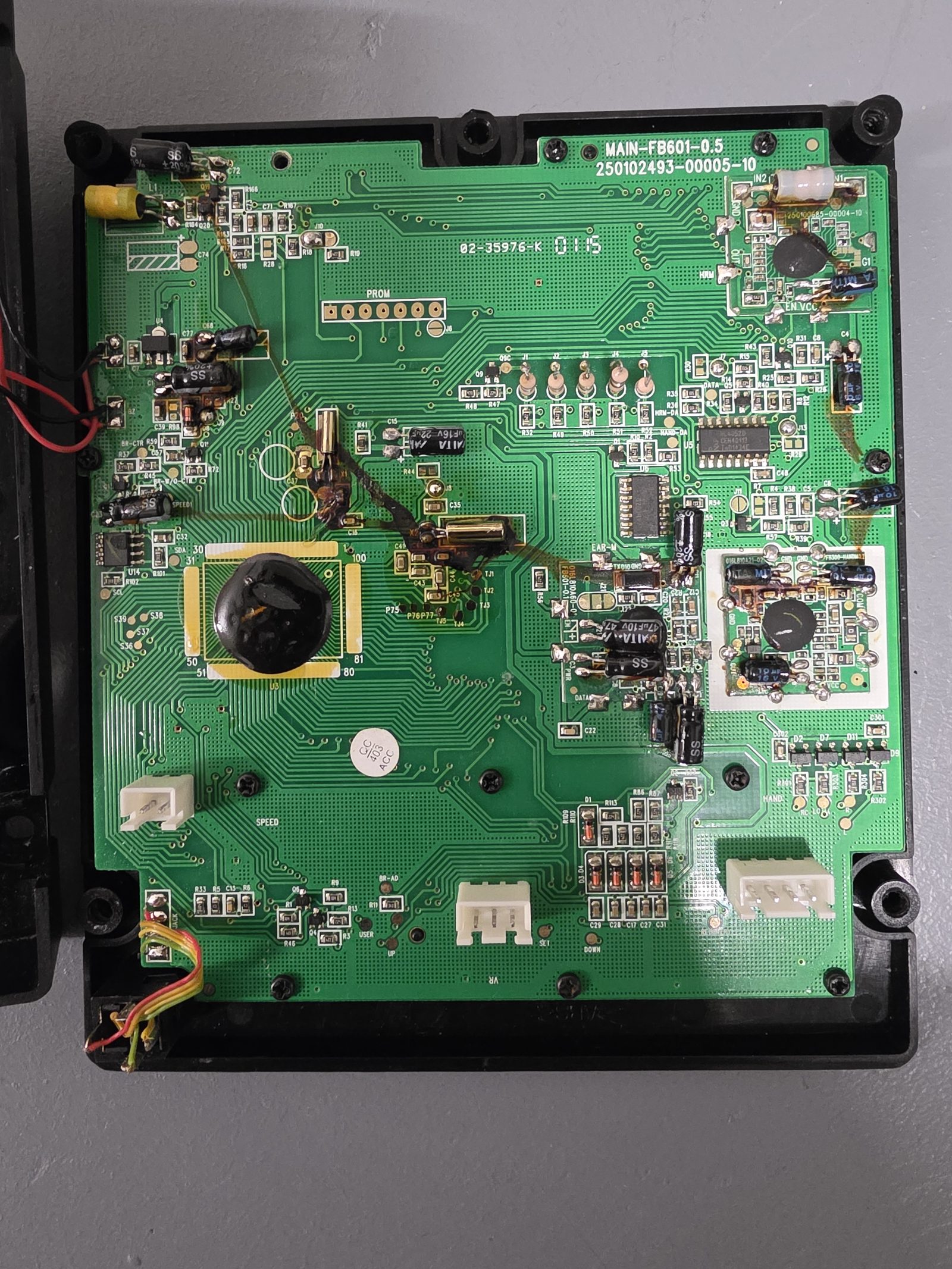
That meant everything I wanted — cadence and resistance — was available as simple, analog signals. How hard could it be?
What Did Not Work: Parallel Operation
The first plan was the gentle one: Leave the console fully functional and let the ESP32 listen in parallel on the same sensor lines. This failed in every way a two-wire circuit can fail.
Enabling the internal pulldown on the reed input killed the console’s cadence reading — the console biases the reed circuit itself and did not appreciate the competition. That one was easy to fix (plain input, no pulldown), and cadence worked in parallel. The potentiometer was worse. Whenever the ESP’s ADC touched the wiper or the excitation line, the console’s resistance display stopped working, and the ESP read a constant ~2.4 V on both lines regardless of the dial position. Some multimeter archaeology suggested why: The console reads the poti through a high-impedance sensing circuit with its own ideas about ground. The poti’s reference sits some 500 Ω away from battery minus. An ESP32 ADC is not the electrically invisible observer one would like it to be, and the two circuits simply could not share the sensor.
There are ways around this (differential measurement against the poti’s own reference, an external ADC, an ADS1115 was already in the shopping cart), but at some point I asked the more fundamental question: What was the console actually still doing for me?
What Did Work: Replacing the Console
The answer was “nothing that Home Assistant cannot do better”, so the console was replaced and the ESP32 took over its job entirely.
This dissolved every electrical mystery at once: The ESP now provides the bias for the reed switch and the excitation for the potentiometer itself, so there is no second circuit to fight with.
The wiring became almost embarrassingly simple: Poti excitation and wiper on GPIOs, reed switch on a GPIO with pulse_meter, everything powered from a USB wall supply instead of batteries.
The best part: The plugs of the ergometer fit perfectly onto the ESP and the ESP itself sits comfortable behind the console.
Eventually, I might replace the console itself, but for now, the whole setup looks very clean, only requiring one additional USB wire for power.
The full pin map, for anyone with a similar bike:
| Kettler | ESP32 |
|---|---|
| Poti low side | GPIO25 (driven low) |
| Poti high side | GPIO32 (driven high, excitation) |
| Poti wiper | GPIO33 (ADC) |
| Reed switch | GPIO15 (internal pullup) |
| Reed switch, other side | GND |
The ESPHome firmware reads cadence (one pulse per crank revolution, debounced), maps the wiper voltage (0.6–3.0 V measured across the dial range) to a load percentage, and derives the numbers the console used to show as template sensors: Speed, distance, energy, and a resistance level 1–10 for nostalgia. There is also a power estimate from load and cadence, I should say honestly that it is a “plausible” formula, not a calibrated one, so the watts are good for trends but not for bragging. A “workout active” binary sensor (cadence above a threshold, with a hold time) is the trigger everything downstream builds on. The full ESPHome config, together with the Home Assistant packages from the following sections, is available as a gist.
The one genuine loss: The bike no longer works offline. No WiFi means a dumb bike. In this household, that is an acceptable failure mode which also holds for shutters, lamps, etc.
Heart Rate
The Golf M’s console wanted heart rate via an analog ear-clip receiver, and I briefly went deep down that rabbit hole: The plan was to have the ESP receive a Bluetooth strap and feed pulses back into the console’s 3.5 mm pulse jack, so its charming HI/LO zone alarm from the 1990s could come alive. I even found the built-in 5 kHz receiver on the console PCB that would have made this wireless. With the console gone, all of that became gloriously irrelevant.
Instead, a CooSpo H6 chest strap (10 € used, standard Bluetooth LE heart rate profile) connects directly to the ESP32 via ESPHome’s ble_client, which delivers live heart rate and strap battery into Home Assistant.
One debugging lesson for the BLE newcomers, like me: A BLE strap accepts exactly one connection, so if nRF Connect on your phone is still attached, the ESP will wait forever.
Thus, make sure to disconnect your phone!
The same ESP also acts as a Bluetooth proxy for Home Assistant, since it sits in a corner of the house that had no BLE coverage before.
Home Assistant
With all sensors live, Home Assistant does the rest. A dashboard shows gauges for heart rate, power, cadence, resistance, speed and strap battery, plus session progress, displayed at the bike (for now via my phone, but more on display ideas below).
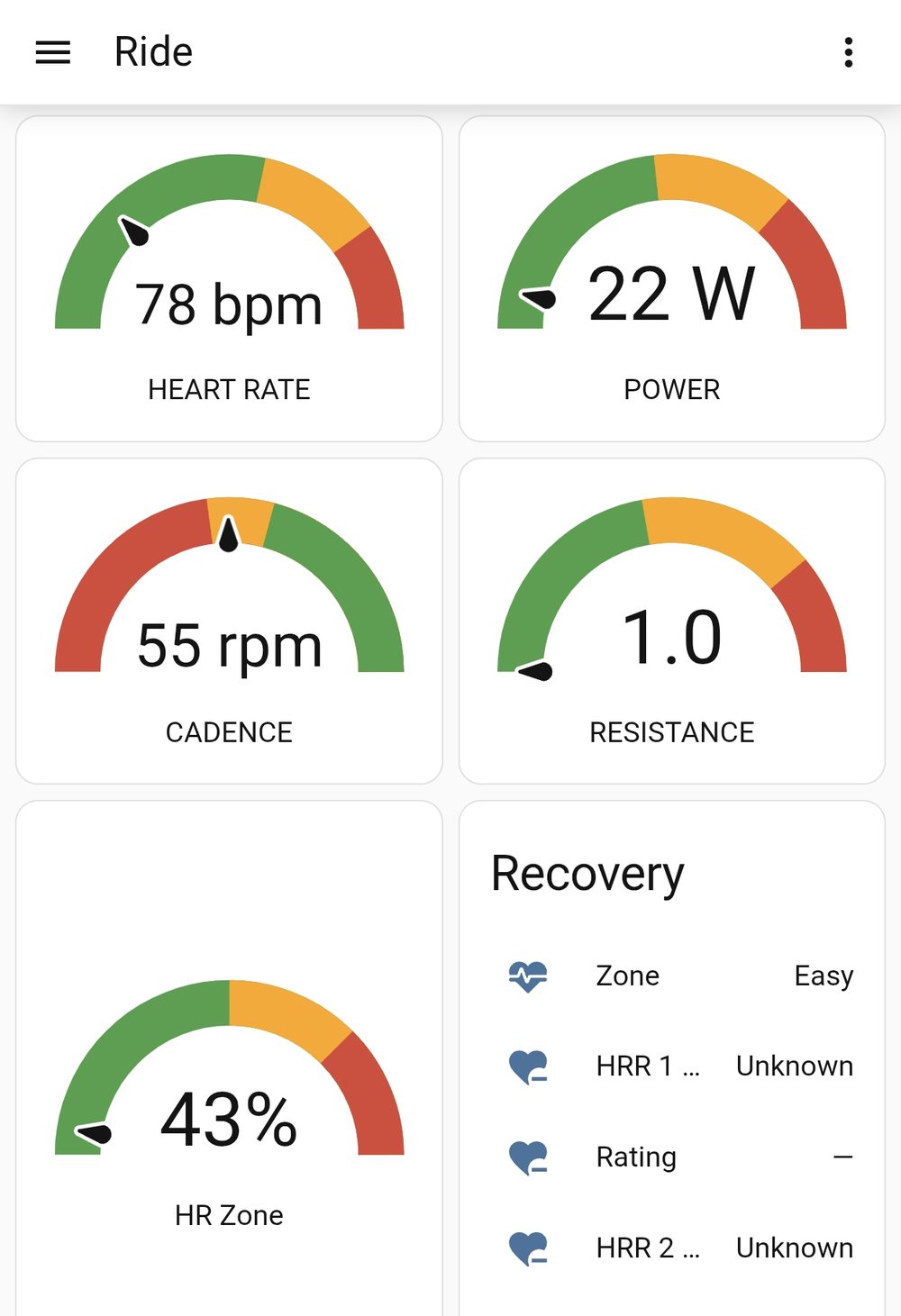
More interesting than the live view is the evaluation. A template sensor samples the ride once a minute into a session log, including heart rate, cadence, power, level, distance, which is small enough to actually analyze. From the strap data, trigger-based template sensors compute heart-rate recovery: HR at the moment the workout ends, again 60 and 120 seconds later, and the difference as HRR1, one of the more meaningful fitness numbers a home setup can produce. And because the brake is a permanent magnet, the load at a given dial position is identical every session, forever: Heart rate at fixed workload becomes a clean, week-over-week fitness trend that no drifting smart trainer can match.
A Coach on Matrix
Reading graphs after every ride gets old, so the analysis is of course also automated. After each training (plus a rest for the recovery measurement), and additionally once a week, Home Assistant compiles the session log and scale data into a short coach-style report: zone and drift analysis, recovery rating, comparison to the previous ride, and one concrete suggestion for the next session. The report is posted to a Matrix room via Home Assistant’s native Matrix integration, next to my existing ha-matrix-agent. The result reads like: “Same resistance, lower HR - fitness trending up. Next: add 5 min at the same level.” It is a strangely motivating thing to receive from an exercise bike.
I should admit this is not the AI coach I originally built. The first version sent everything to a local LLM via Ollama with a strict system prompt playing a terse cycling coach, and the tone was great, but the small model my old server can run got the numbers wrong too often for a report whose whole point is the numbers. So for now the coach is honest Jinja templating, and the Ollama hook stays in the config, waiting for stronger local hardware.
RideQuest
Somewhere along the way, this project stopped being about measurement and became about motivation. Staring at gauges while pedaling is not exactly engaging, and the commercial/open-source cycling apps seemed “too easy”, so I had the obvious 2026 idea: Let an AI build me a game.
The result, after some fifteen or so vibe-coded iterations, is RideQuest: A single-page role-playing game, served as a PWA straight from Home Assistant’s www folder and connected to the live sensors via the Home Assistant WebSocket API.
You pedal through a procedurally generated world, the map is modeled in real metres, and speed comes from your actual cadence via a virtual 28-inch wheel and gear ratio, tuned to land near the classic Kettler convention of about 21 km/h at 60 rpm.
Monsters appear, and combat is interval training in an RPG costume: Damage is dealt by holding a target power, bosses demand sprints, treasure chests and win streaks feed a persistent score.
The pacing even adapts to the rider, consistently exceeding the target nudges it upward, struggling eases it down.
So the game slowly learns what a fair fight is.
Different profiles can be selected for different training targets.
I have to admit the game is really quite basic, and the motivation after one hour of walking through a rather rather blank landscape, fighting the same monsters is a bit monotonous.
So for motivation, this might still need a bit of work.
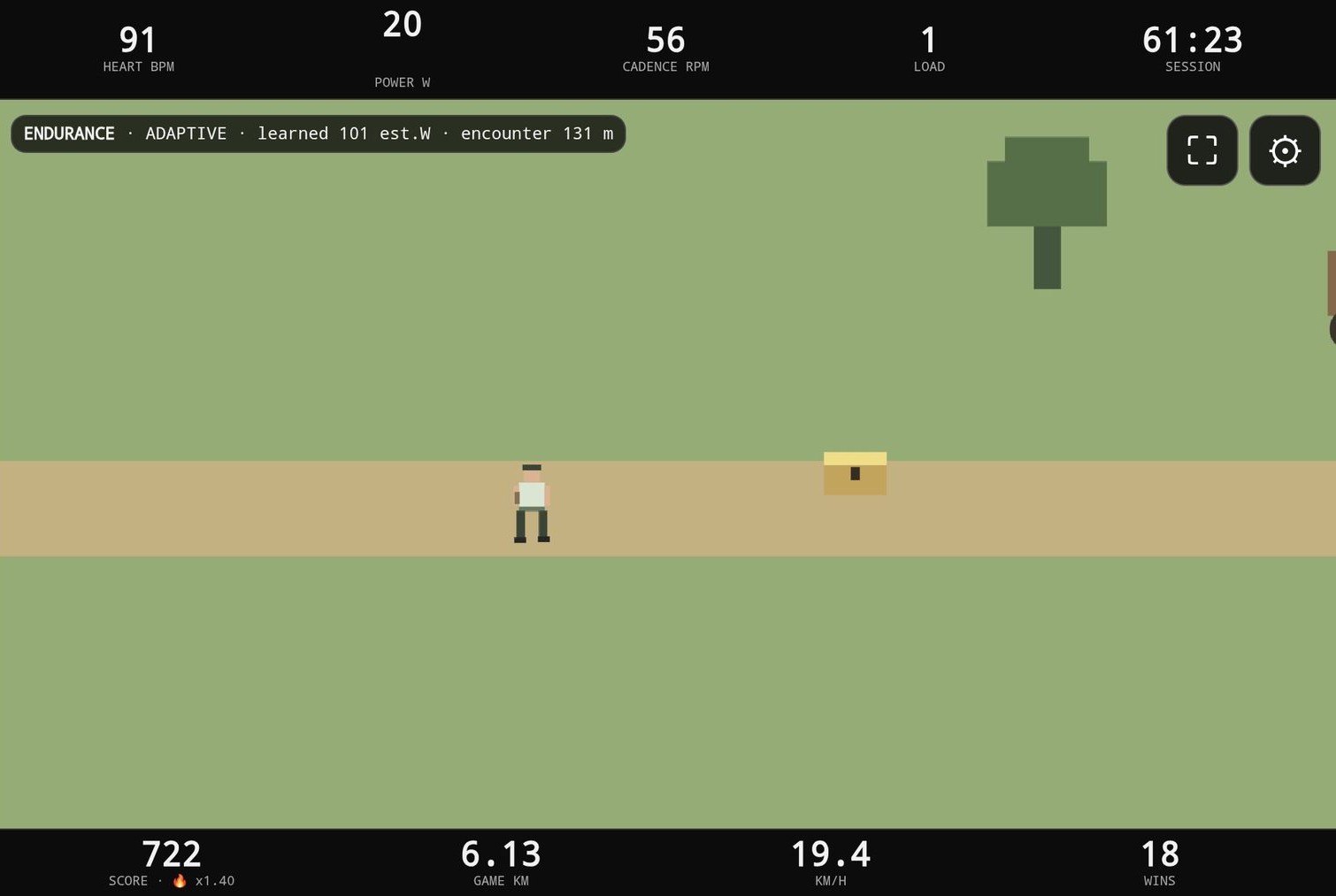
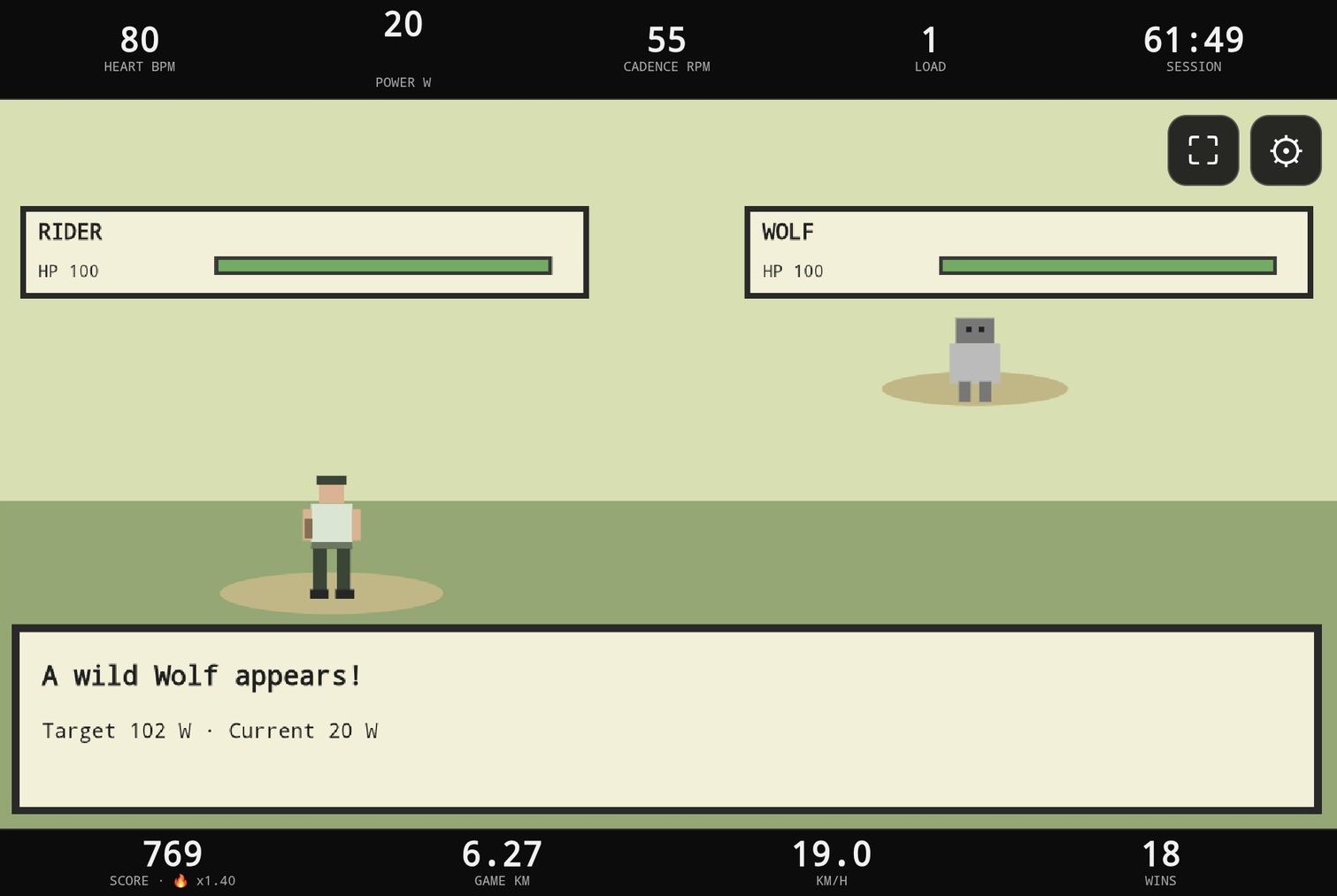
The score is not just decoration: It is an entity in Home Assistant, which means earned points can be spent. The plan being to couple them to YouTube, so screen time is earned by pedaling. Whether this mechanism will be applied to the children or to their father first remains an open research question. The game itself is on GitHub: RideQuest.
Outlook
The project is not finished, projects like this never are. Some improvements circling through my mind:
- A proper display. The console cavity turned out to be too small for any reasonable tablet, so currently I just use my phone hanging from the console. The plan is a 15.6” portable monitor on the bike, fed wirelessly from the phone via a cast dongle.
- Power calibration. Turning the power estimate into correct watts, ideally by borrowing a real power meter once.
- A better strap. A Polar H10 would add HRV-grade beat-to-beat data for recovery and readiness tracking.
- Multiplayer. The kids can already race the same bike for high scores, a second heart rate strap and per-person profiles are the obvious next step.
- A printed cover. The console hole in the cockpit deserves better than the current improvisation: Simply putting the disconnected console back. This could also be used to hold the display.
The Kettler itself, of course, is unimpressed by all of this. It just keeps doing what it has done for thirty years: Being an indestructible resistance machine. And maybe, just maybe, I will be using it more now.