
- What stayed
- Scripts to pipeline
- A web UI and an API
- Settings in a file, and a settings page
- Scanning details
- Home Assistant
- Testing without a scanner
- Upgrading
- How 2.0 was built
- Thanks
- References
Seven years ago I wrote about digitizing analog documents: A Brother MFC-L2700DW, its Linux driver in a Docker container on the DiskStation, two rewritten shortcut scripts that turn a simplex document feeder into a duplex workflow, and a small Tesseract service for the text recognition. That setup has scanned every letter that reached this house since, and the container has quietly collected users, issues and pull requests along the way. This year it got the overhaul it had earned. Version 2.0 is out, and this post is the tour.
What stayed
The idea is the same: The scanner’s shortcut buttons trigger scripts in the container, “file” scans the front pages, “e-mail” within two minutes scans the rear pages of the same stack, and both sides are interleaved into one PDF. Blank pages are removed, the PDF lands on the volume, OCR runs through the microservice, and FTPS, SSH and Telegram do their notification and upload duties afterwards. A v1 compose file keeps working with the 2.0 image as it is.
Scripts to pipeline
The shortcut scripts were shell scripts, grown over the years and increasingly hard to reason about. They are Python now: One pipeline module for scanning, blank page removal, PDF conversion and the post-processing, and thin entry points for the four buttons. The initial rewrite to Python was contributed by Pedro Pombeiro back in 2024, together with the blank page removal and the first linters in CI. A big THANK YOU for that! The OCR step moved into a persistent queue on the volume. Scans in quick succession no longer compete for upload bandwidth, failed uploads are retried with increasing delay, and uploads never run while the scanner is busy, because scanning has priority on a home network.
The queue also fixed the one bug I never want to see again. At some point the OCR service answered with an error text instead of a PDF, the script took it for the result, and the original scan was deleted. Every OCR result is validated now, it has to be a readable PDF with the same page count as the scan, and the original is only removed after a validated copy is in place.
A web UI and an API
The first web interface was a single, not very pretty, PHP page. Philipp Freilinger rebuilt it with proper routing in 2024, and 2.0 builds on that. A big THANK YOU for that! The page shows what the scanner is doing (ready, scanning, waiting for rear pages, OCR running), the OCR queue, and one button per action with the labels I configured. An “Options” toggle offers the resolution, colour mode and paper source the device reported at startup, so a quick 100 dpi gray scan of a receipt no longer requires editing the compose file.
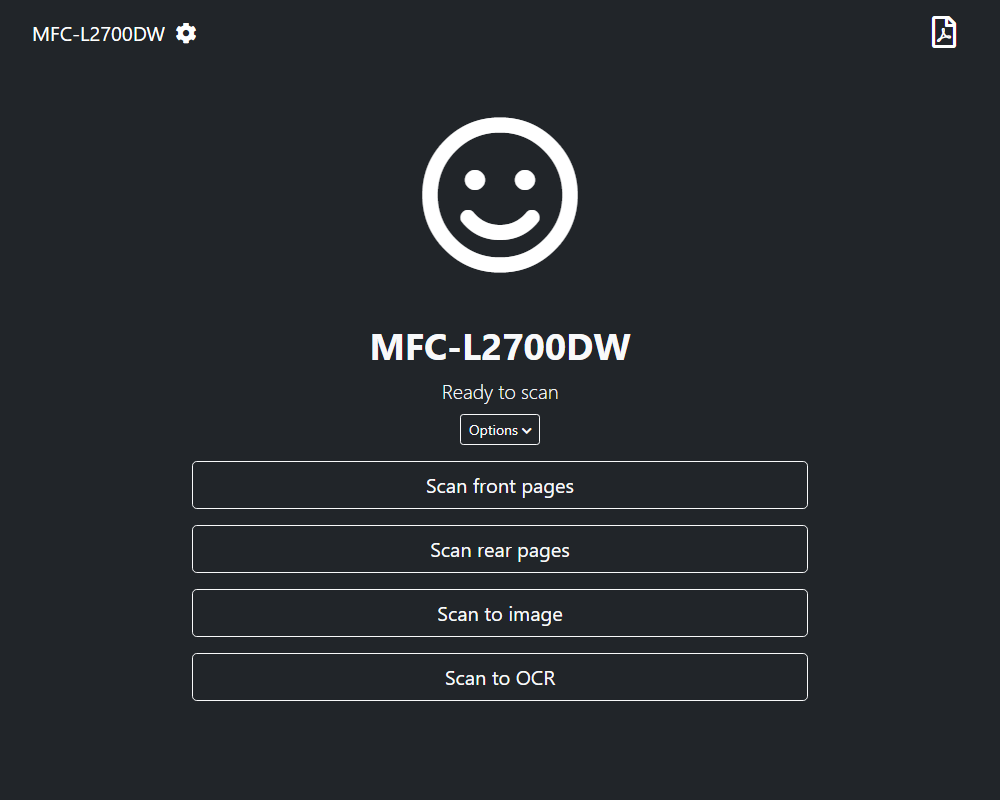
The file list shows the scans newest first with a thumbnail of the top of the first page, rendered right after the scan, so a folder with a thousand PDFs opens as fast as one with ten.
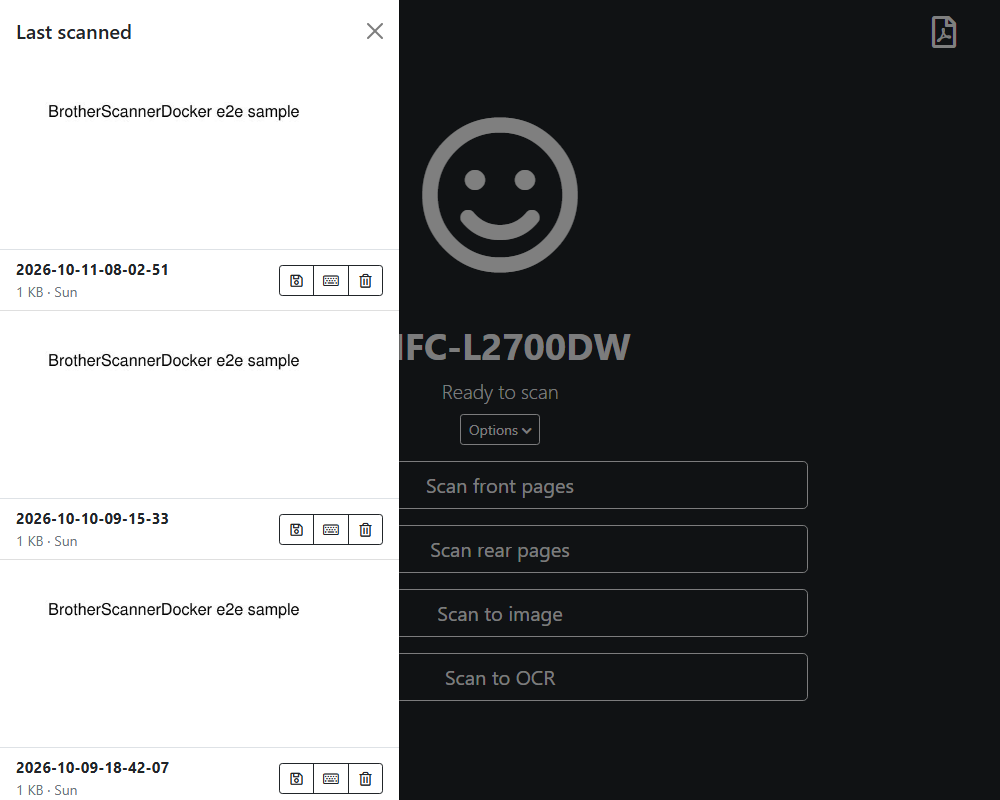
Underneath is a REST API, described in an OpenAPI file: start a scan with per-job parameters, follow it as a job through its states, fetch the status with reachability of the device and the queue, list and download files.
An optional token protects everything that starts a scan or changes a file.
The old scan.php and active.php still answer for automations from the v1 days.
Settings in a file, and a settings page
Until now every setting was an environment variable, which means a restart for every change and a compose file that nobody wants to touch.
Every setting can now also live in a configuration file on the scans volume, and with ALLOW_GUI_SETTINGS=true the web UI gets a settings page that edits that file.
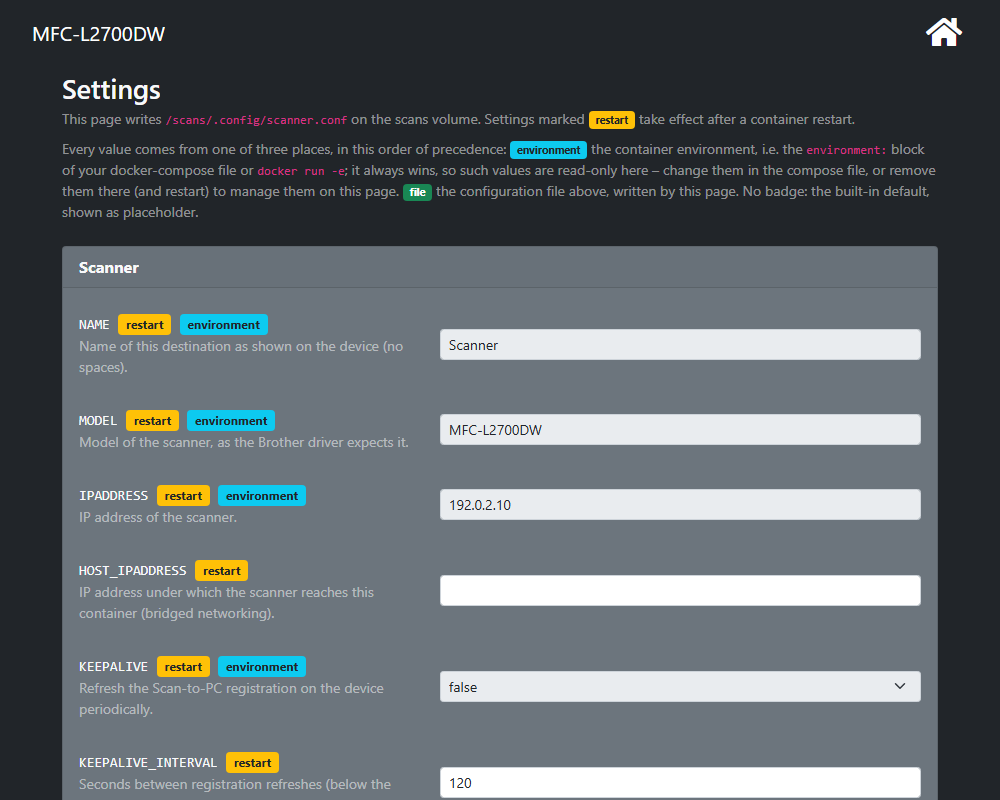
The precedence took some thought.
I went with what Vaultwarden does: The environment always wins, and a value from the compose file is shown read-only with an environment badge.
To move to the file there is a button that copies every environment value over.
You can remove the entries from the compose file, restart, and the file carries on.
Predictable for anyone who thinks in compose files, and no surprise when a changed variable does nothing.
Scanning details
A few things that bothered me for years got fixed on the way.
The Scan-to-PC destination occasionally vanished from the device after a while, the container now refreshes its registration periodically, skipping the refresh while a scan runs.
This was an absolutely not obvious change, contributed after quite some reverse engineering of the drivers by xiezhensheng.
A big THANK YOU for that!
The document feeder loses the first millimetre of every page and leaves a bar at the bottom; the scan window is configurable now, and SCAN_HEIGHT_MM=295 is the usual fix.
Devices with a duplex feeder can scan both sides in one pass by setting the source.
And JPEG compression in the PDF turns the 4 MB of a 300 dpi colour page into a few hundred kilobytes, which the OCR copy inherits.
Home Assistant
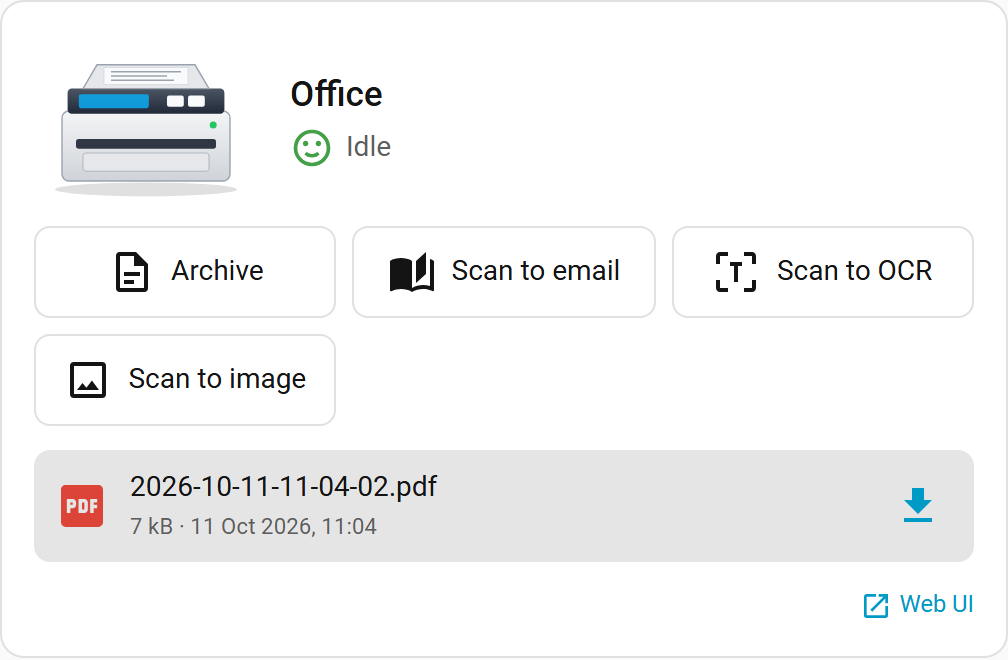
Since I measure and automate everything else in this house, the scanner had to show up in Home Assistant as well. There is now an integration and a dashboard card, both installable through HACS. The integration creates a device with the scanner state, the last scan (downloadable through Home Assistant, the container’s token stays on the server), the OCR queue, one button per action, selects for resolution, mode and source, services with response data, and events when a scan starts, finishes or fails. The card puts that on a dashboard, with a countdown while the scanner waits for the rear pages.
Testing without a scanner
The part I am most pleased with is invisible.
The project had almost no tests, and every change was a leap of faith followed by a walk to the printer.
2.0 runs four layers in GitHub Actions for every pull request: shellcheck and bats for the remaining shell, pytest for the pipeline and the queue, and Playwright end-to-end tests that start the built image with a simulated scanimage and a fake OCR service and drive the web UI and the API, a scan included.
The simulator writes real pages, so the blank page removal, the PDF conversion and the thumbnails run for real, only the Brother driver itself still needs hardware.
Coverage gates keep both the Python and the PHP side above 95 percent, and a documentation test makes sure every option in the settings catalogue is in the docs and every API route in the OpenAPI file.
Upgrading
Pull ghcr.io/philippmundhenk/brotherscannerdocker:v2, which follows the newest 2.x release; stable is the newest release overall and latest the development build.
Nothing else is required.
The migration guide lists what changed and what is worth doing afterwards, and the README is finally short, with the details in dedicated pages.
How 2.0 was built
I should be honest about the amount of work in this release: It is far more than I would have found the evenings and weekends for, despite the two-year delay. Most of 2.0 was written together with Claude Code over a couple of days. The test setup, the scanner simulator, the coverage gates and the documentation pages are the parts I would never have written by hand, and they are the parts that make the next change safe. Everything that touches real hardware was still tested by me, because the Brother driver does not care how well the simulator behaves.
Thanks
This project is what it is because of the people who sent pull requests over the years:
- Pedro Pombeiro: The Python rewrite of the scan scripts, blank page removal, CI linters, the Dockerfile cleanup, and a pile of fixes
- Philipp Freilinger (vgarcia007): The web interface with routing that 2.0 builds on, the “waiting for rear pages” status, and the fix for the interface after container restarts
- Chris Wiggins (cwiggs): FTPS upload, the script symlinks the driver needs, and the early fixes that made the container usable for others
- xiezhensheng: The Scan-to-PC keepalive, after reverse engineering the driver
- Krifto: JPEG compression for the PDFs
- philippderdiedas: A big round of updates in 2024
And to everyone who opened an issue with a log attached: That is how most of the bugs got found.
Thank you very much for your support!!